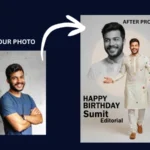

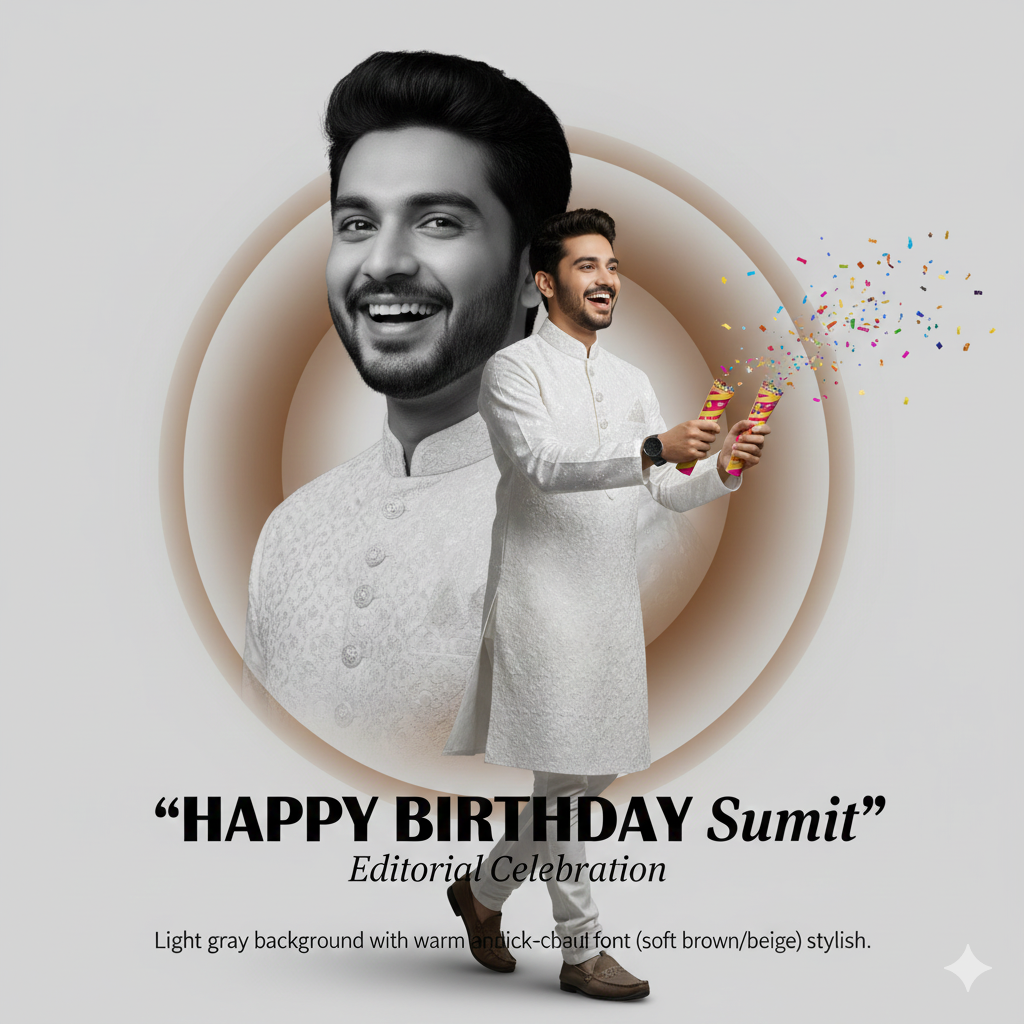
In the world of high fashion, a “Fashion Editorial” is more than just a photo; it’s a story. It’s about lighting, concept, and personality. Today, we are taking a unique creative concept—The Split-Personality Fashion Poster—and showing you how to bring it to life using the power of Google Gemini.
Whether you’re celebrating a birthday like Sumit or simply want to elevate your personal branding, this guide will show you how to turn a simple portrait into a professional fashion campaign.
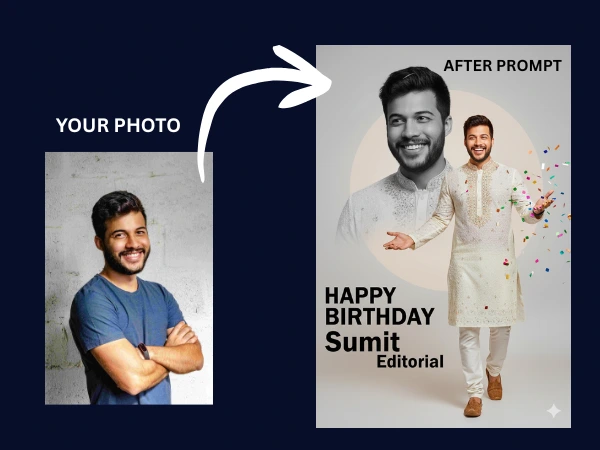
The Concept: The “Split-Personality” Editorial
This design relies on a dual-layer storytelling technique:
- The Foreground: A vibrant, full-color figure representing joy, celebration, and tradition.
- The Background: A massive, mysterious black-and-white portrait that adds depth and artistic flair.
This contrast between color and monochrome, and between action and mystery, is a staple of modern fashion magazines like Vogue or Harper’s Bazaar.
The Master Prompt
To achieve this look, you need a highly descriptive prompt. We have engineered the following “Golden Prompt” for the best results in Gemini:
The Prompt: “Create a modern fashion campaign poster featuring me with a split-personality concept. Main full-color figure walking right, wearing a traditional white fully worked Kurta dress. Both hands holding party poppers with a joyful expression. Behind the main figure, a large black-and-white portrait facing slightly left, looking joyful yet mysterious. The text ‘HAPPY BIRTHDAY Sumit Editorial’ is elegantly integrated. Background is light gray with a warm circular gradient in soft brown/beige tones. High-fashion aesthetic, 8k resolution, cinematic lighting.”
Step-by-Step: How to Generate Your Poster
Creating this masterpiece is simple if you follow these three steps:
Step 1: Access Google Gemini
Open Google Gemini on your desktop or mobile app. Ensure you are logged in to access the latest image generation features powered by the Nano Banana model.
Step 2: Upload Your Reference Photo
Click on the “Plus (+)” or “Image” icon. Upload a clear, high-quality photo of yourself. This acts as the “Reference Image,” allowing the AI to maintain your likeness, facial features, and hair style while applying the new fashion elements.
Step 3: Input the Prompt
Copy and paste the master prompt provided above into the chat box. Hit enter and watch as the AI processes your features into the dual-layer fashion editorial layout.
Why This Design Works for Google SEO & Social Media
- Visual Contrast: The mix of traditional white Kurta (cultural depth) with modern editorial layouts (aesthetic appeal) is highly “shareable” content.
- Personalization: Using AI to transform personal photos is a top-trending topic in 2025.
- Technical Sophistication: Describing specific elements like “halftone dots,” “circular gradients,” and “split-personality” shows a high level of creative control that search engines value in quality content.
Pro-Tips for the Perfect Result
- The Dress: If you want a different outfit, simply replace “traditional white fully worked Kurta” with your choice (e.g., “sleek black evening gown” or “streetwear neon jacket”).
- The Text: You can change the name in the prompt to yours. Example: “HAPPY BIRTHDAY [Your Name] Editorial.”
- The Lighting: If the image is too dark, add “Add soft studio rim lighting” to your follow-up prompt.